TL;DR
Most AI video tools solve half the problem. Clip extractors like Opus Clip find moments but hand you a rough cut that still needs work. Full editors like Veed and Descript give you every tool imaginable - and then ask you to be the one to use them. Runway is a creative playground for generative video. Captions is a solid mobile editor for solo creators.
Guin is the outlier: it takes any raw footage and finds the story, then delivers a publish-ready clip - cuts, captions, format, layout - without you touching a timeline. At $99/month it's not the cheapest, and it's an early-stage startup versus established players with millions of users. But if your real problem is that you have footage and no time to edit it, the others are asking you to learn to fish when Guin is handing you the fish.
For podcast and interview creators, Descript remains the gold standard. For social media repurposing from long-form video, Opus Clip is fast and cheap. For all-in-one editing with a large feature set, Veed is hard to beat. For generative AI video from a text prompt, Runway is the leader. For quick mobile editing, Captions delivers. And for marketing teams, YouTubers, creators, and businesses of all kinds who need to turn raw footage into content, Guin is built specifically for you.
How we chose these six
There are dozens of AI video tools. We narrowed to six by asking: which tools are doing something meaningfully different from each other? The goal was a comparison that covers the real decision space - not six tools that all do the same thing with slightly different pricing.
What we didn't include: Cardboard (too niche, thin public info), Higgsfield (generative video with a different use case), and Open Montage (limited discoverability). Each tool we did include was evaluated on pricing accuracy, feature depth, community review patterns, and honest positioning - not which one paid for coverage.
Quick comparison
| Best for | Starting price | Free tier | Input | Output | |
|---|---|---|---|---|---|
| Guin | Teams, creators & businesses with raw footage | $99/mo | 7-day trial | Any format | Publish-ready clips |
| Opus Clip | Repurposing podcasts/streams | $15/mo | Yes | Long-form video | Short clips |
| Veed | All-in-one editing | Free + paid tiers | Yes | Video, text, images | Any format |
| Descript | Podcasters, interview editors | $16/mo | Yes (limited) | Audio/video | Edited video/audio |
| Runway | Generative and cinematic video | $12/mo | 125 credits | Text prompt, image | AI-generated video |
| Captions | Solo creators, mobile | $24.99/mo | Yes (limited) | Talking-head video | Social-ready clips |
Guin - best for teams and creators turning raw footage into content
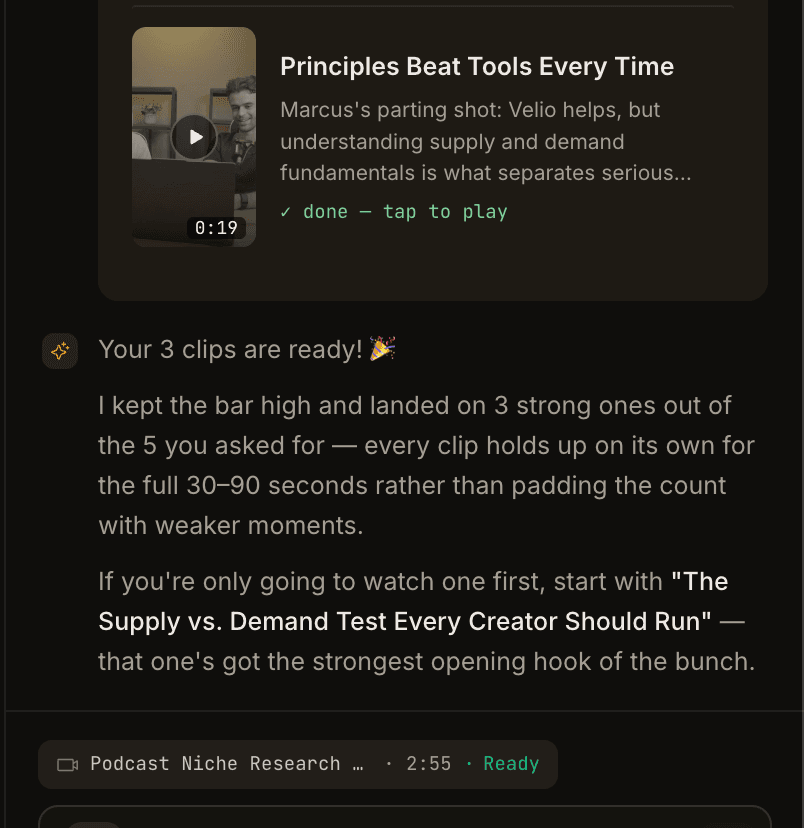
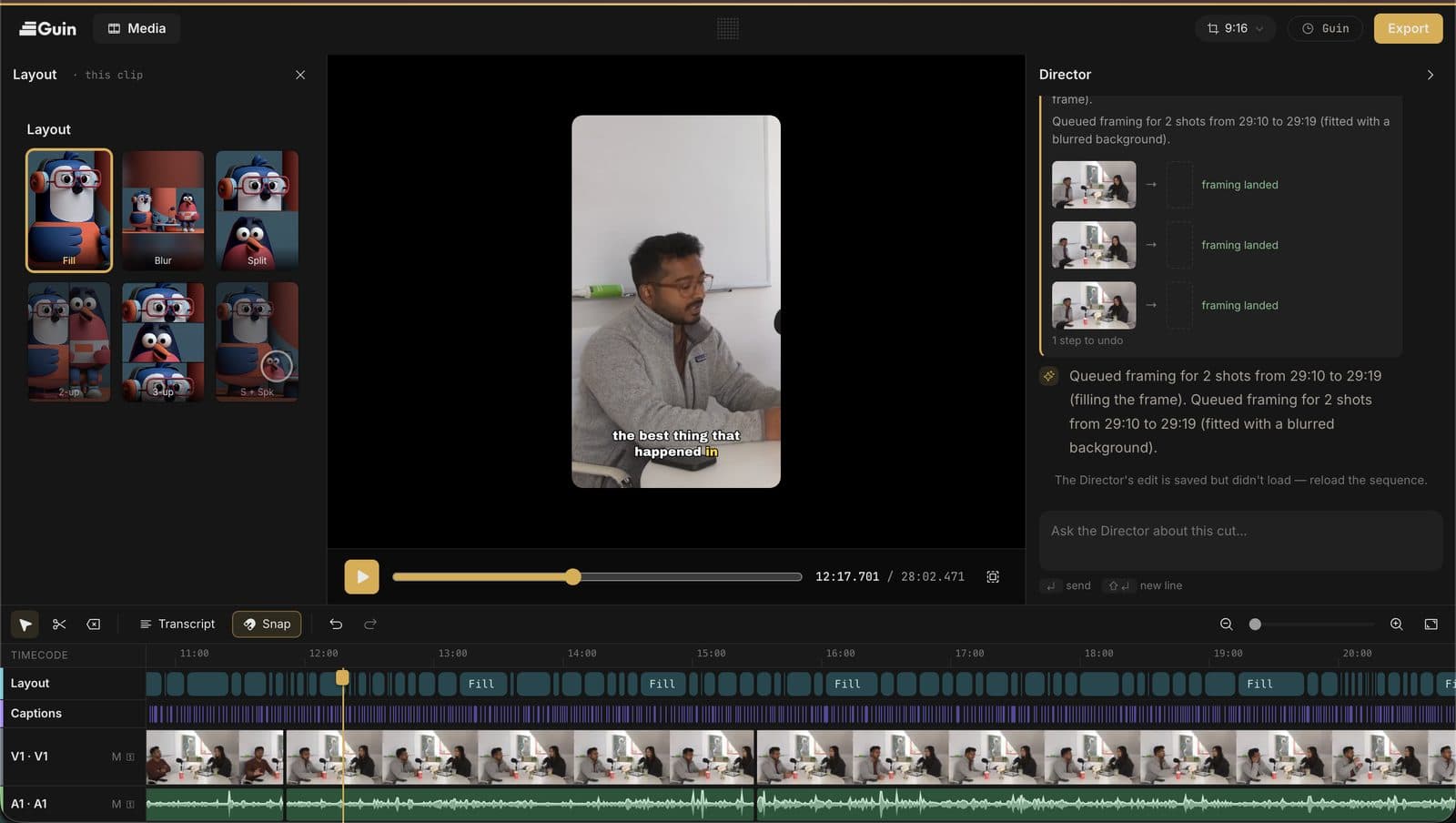
Guin was built around a specific frustration: the footage exists, the ideas exist, but turning raw clips into something worth posting takes a full night in an editing app or $60–100 to a freelancer. The result is that most footage never gets used. Guin's answer is a production agent, not an editor - you upload, describe what you want, and it finds the story.
What makes Guin different from the clip extractors is that it doesn't require long-form input. You can upload phone videos, DSLR clips, photos, voice notes, and scattered media from a full shoot day - in any combination - and Guin builds something coherent from it. It watches the actual footage rather than reading a transcript, using scene detection, speaker identification, and mood analysis to identify narrative threads.
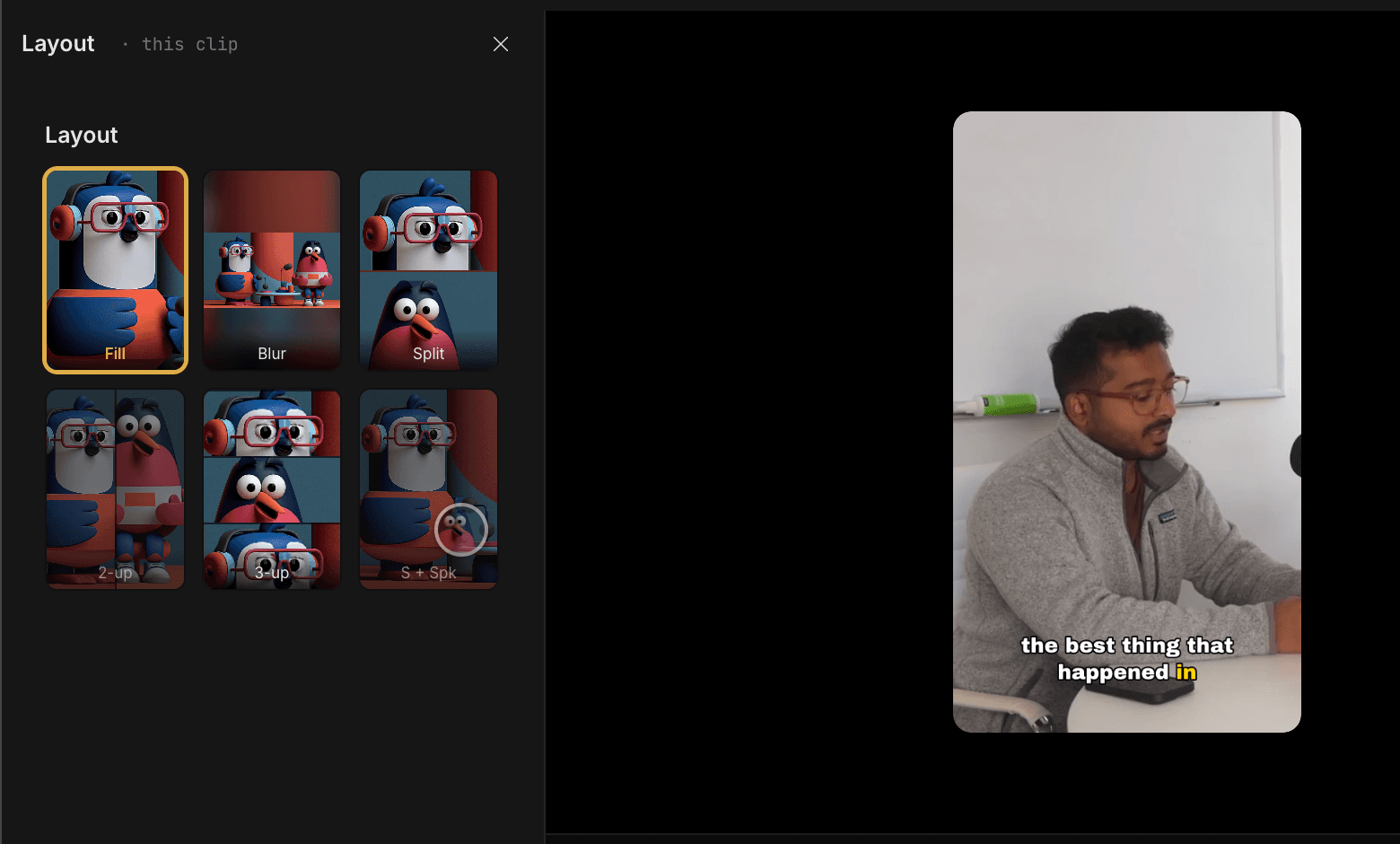
The output isn't a rough clip to refine. It comes with cuts, captions, multi-platform layouts (9:16 for Instagram and TikTok, 16:9 for YouTube, square for LinkedIn), b-roll placement. If something's off, you edit by describing it in natural language - "make it shorter", "warmer tone", "cut the last 10 seconds" - rather than hunting through a timeline. There's a built-in fine-control editor for precise adjustments without leaving the platform.
Multiplier, an edtech company, moved from a weeks-long video production cycle to publishing 100+ videos per month using Guin. That's the use case this is built for: a team with footage and a posting schedule, but no dedicated editor.
How Guin's AI story engine works
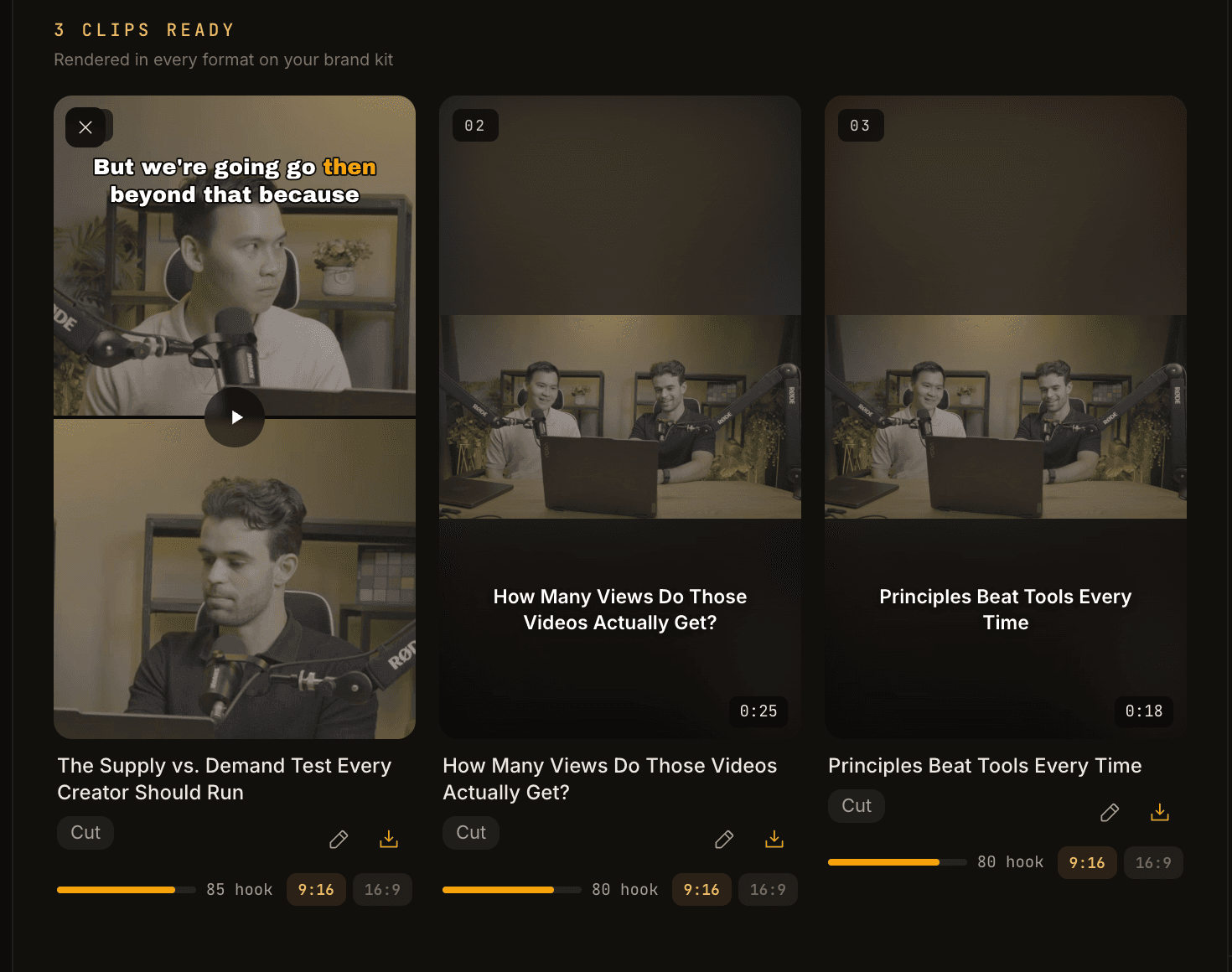
The architecture isn't transcript-first like most AI editors. Most tools transcribe audio, find keywords or high-engagement moments in the text, and clip around them. Guin detects people in frame, identifies narrative moments visually, and understands what matters in context - which is why it handles formats that would break a transcript-first tool (B-roll-heavy footage, phone videos without clear speech, scattered clips from multiple cameras).
Pricing
| Price | What's included | |
|---|---|---|
| Free trial | 7 days | Full feature access, no card required |
| Pro | $99/month | 120 min published video/mo, 200GB library, all features |
| Team | Custom | High-volume, voice cloning, shared brand kits, priority support |
The 120-minute limit on the Pro plan is published video output, not upload or processing time. Re-edits and retries don't count against it. Unused minutes don't roll over. For teams posting daily across multiple platforms, the limit warrants a Team conversation.
Guin is the most expensive option in this comparison on a per-month basis. That's the honest trade-off: you're paying for the production work, not just the software. The Startmate Summer 2026 cohort backed Guin early-stage, with the investor thesis that the production bottleneck is real and large.
Our verdict: If your team has footage that isn't turning into posts because editing is the bottleneck, Guin is the most direct fix. It's not right for solo creators on a budget, for generative video, or for podcast-first workflows. But for marketing and content teams who need output volume from real footage without a full-time editor, there's nothing else quite like it.
Opus Clip - best for repurposing podcasts and streams
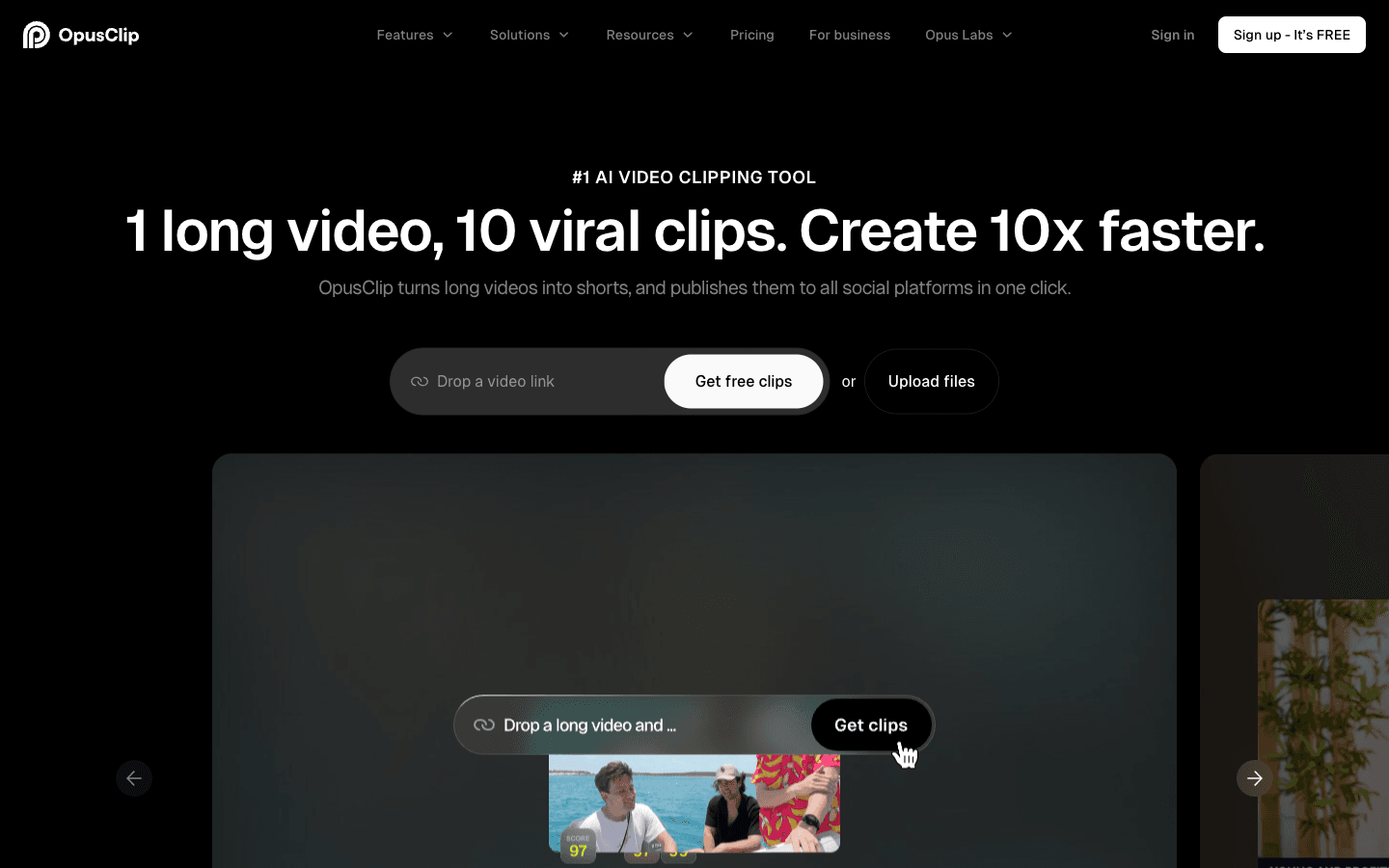
Opus Clip has built its reputation on a single well-executed premise: you have a long video - a podcast, a webinar, a YouTube video - and you need short clips from it for social media. Upload the video, and Opus Clip's GPT-4-powered hook detection finds the most compelling moments, scores them, adds captions, and exports them formatted for each platform.
With 16 million video creators on the platform, Opus Clip has the widest user base of anything on this list. The virality score system - which analyzes hooks, pacing, and topic shifts - is a legitimate differentiator that helps creators prioritize which clips to actually post from a long session.
Where Opus Clip earns its mixed community reviews is on AI accuracy. The platform works well for straightforward, informational content. It struggles with nuance:
"The AI doesn't understand comedic timing or sarcasm - often the exact things that make a clip worth sharing." - eesel.ai OpusClip review roundup
Users consistently report that the virality score doesn't predict real-world performance reliably, and that clips often cut off mid-thought or strip away the context that made the moment work. The platform is best used as a first pass - find candidates, then manually review before publishing.
G2 rates Opus Clip at 4.6/5 from 119 reviews. Trustpilot tells a more complicated story, with 22% one-star reviews mostly centered on billing and cancellation friction.
Pricing
| Price | Key features | |
|---|---|---|
| Free | $0/mo | AI clipping, captions with watermark, 10GB/video local import |
| Starter | $15/mo | Auto video import, reprompt clipping, no watermark |
| Pro | $29/mo | Virality score, animated captions, custom fonts |
| Business | Custom | Enterprise features |
The free tier is genuinely useful for testing. The jump to Pro ($29/mo) for virality scoring and no-watermark captions is where most serious creators land. No credits system - it's straightforward usage-based tiers.
Our verdict: Opus Clip is the right choice if your source material is long-form spoken content - podcasts, interviews, webinars - and you want a fast, affordable first pass at clip extraction. It's not the right tool for footage-first workflows, generative video, or content where timing and nuance matter. Treat its output as a draft, not a finished product.
Veed - best for teams that need a full toolkit
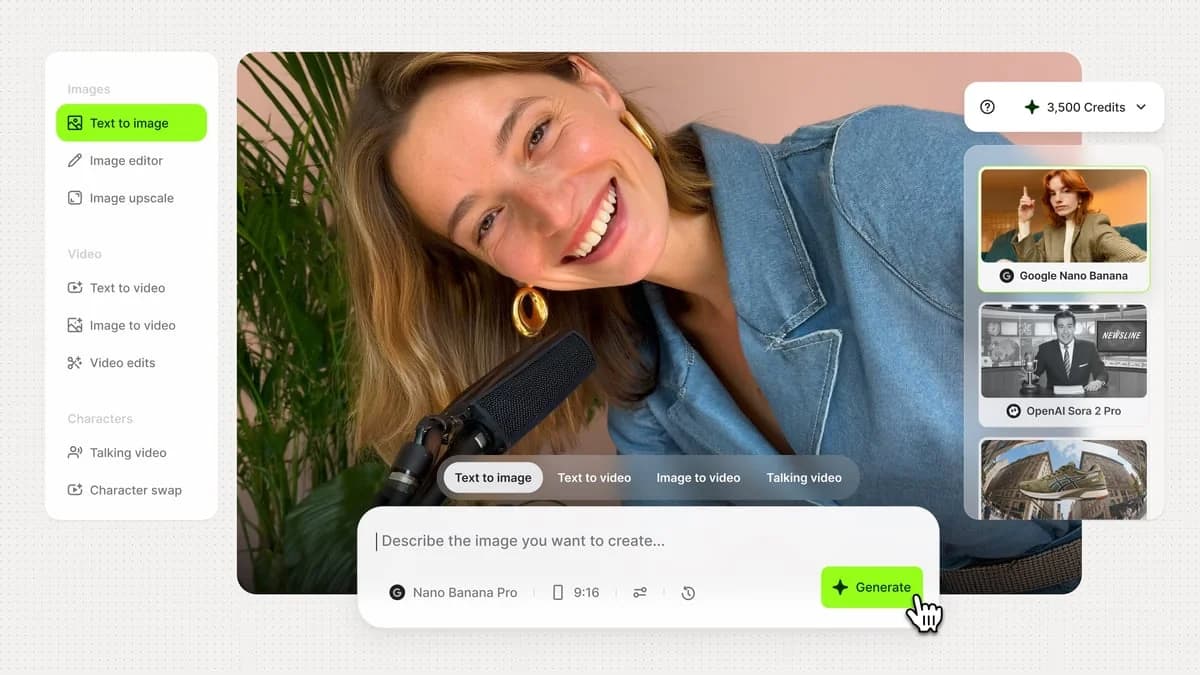
Veed.io is the Swiss Army knife of this comparison. Where most tools do one thing well, Veed does 50+ things adequately to very well - and increasingly, it does them with AI at the core. Text-to-video generation, AI avatars, 125-language subtitle generation, audio enhancement, background removal, voice cloning, eye contact correction, filler word removal, screen recording, brand kits, and real-time collaboration. It's all there.
4.6/5 on G2 from 2,176 verified reviews - the largest review base of any tool in this comparison - and trusted by teams at Amazon, Netflix, Google, and Meta. The platform serves everyone from solo content creators to enterprise marketing teams, which is both its strength and its limitation.
The strength: you can do nearly any video task in one place without stitching tools together. An editor at a media company can caption, reformat, clean audio, add AI voiceover, and export to six platforms inside Veed without leaving the browser.
The limitation: more tools isn't always better. Veed requires you to know what you want to do and how to use the features to do it. It's powerful in capable hands; it's overwhelming in a hurry. If you're looking for the tool to make decisions for you - find the story, decide the cut, produce the output - Veed hands that judgment back to you.
Pricing sits behind a login wall at veed.io/pricing, which makes comparison harder. A confirmed free tier exists (limited to 1 user) with multiple paid tiers beyond it. The feature set on even the free tier is substantial - meaningful subtitle generation, basic editing, and access to many AI tools - which explains the massive user base.
Our verdict: Veed is the right pick if you need a comprehensive, all-in-one editing platform for a team that already knows what it wants to make. It's not the right choice if you're looking for AI to do the creative heavy lifting on unstructured footage - for that, you still need a human (or Guin) to direct the show.
Descript - best for podcasters and interview creators
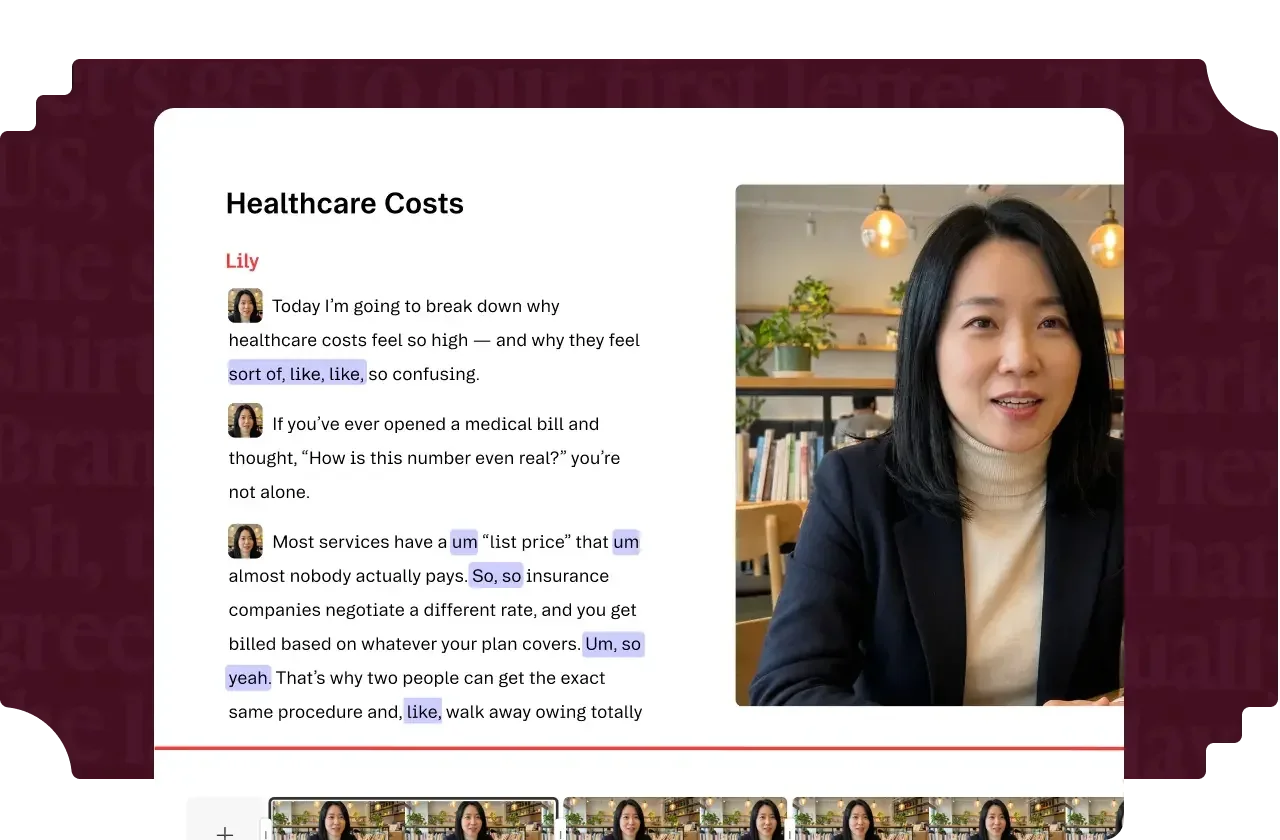
Descript earns a specific kind of loyalty: the kind where podcasters who switch to it send long Twitter threads about how they'll never go back. The core proposition - edit video and audio by editing the transcript, like a Google Doc - sounds simple, but it transforms the workflow for anyone whose content is primarily spoken word.
Delete a sentence from the transcript, and the corresponding audio and video disappear from the timeline. Filler word removal ("um", "uh", "like") runs in seconds across an entire recording. Auto-silence detection strips long pauses. Voice cloning lets you fix a mispronounced word without re-recording. These aren't gimmicks - for interview and podcast editors, they're genuine hours saved per episode.
G2 rates Descript at 4.6/5 from 923 reviews, with 94% of reviewers giving 4 or 5 stars. The praise is consistent: "5-10x faster than traditional editing for dialogue-heavy content." The criticism is equally consistent: performance degrades on longer videos, export compression can be severe (users report a 500MB source compressing to 23MB with visible quality loss), and support escalation is slow.
The honest limitation is that Descript's magic is specific. For content that's primarily about what people say, it's exceptional. For content that's primarily about what the camera sees - visual storytelling, b-roll-heavy marketing videos, footage-first production - editing a transcript isn't the metaphor that helps. Those users often use Descript for rough cuts and move to Premiere or Final Cut for finishing.
Pricing
| Price (monthly) | Price (annual) | Media hours | |
|---|---|---|---|
| Hobbyist | $16/mo | $24/mo | 10 hrs/mo |
| Creator | $24/mo | $35/mo | 30 hrs/mo |
| Professional | Not publicly listed | — | 100+ hrs/mo |
| Enterprise | Custom | — | Custom |
Pricing is per user, per month. Annual billing saves up to 35%. Descript's pricing page has the full breakdown. AI credits are consumed by Underlord (their AI co-editor) and other AI features - heavier users hit credit walls faster than the plans suggest.
Our verdict: If you produce spoken-word content - podcasts, interviews, webinars, video essays - Descript is probably the best investment on this list. It's not the right tool for footage-first video production, visual storytelling, or teams that need output from raw, unstructured material.
Runway - best for generative and cinematic short-form

Runway is the only tool in this comparison that doesn't primarily work from your footage at all. You describe what you want, and it generates video from text - or from a reference image, or from a first frame you specify. With 60 million+ creators on the platform and models like Gen-4.5, Aleph 2.0, and Kling 3.0 available, it's the dominant player in AI video generation.
That positioning matters because Runway is solving a different problem than everyone else here. You're not editing footage you shot - you're creating footage that doesn't exist yet. That's compelling for indie filmmakers generating abstract b-roll, for ad agencies prototyping visual concepts fast, for creative directors who need a specific shot they can't afford to film.
The community is honest about the limitations. G2 rates Runway at 4.2/5 from 102 reviews, with consistent praise for cinematic quality and real concerns about prompt adherence and character consistency across clips. Runway is excellent for short, standalone shots (under 15 seconds). Maintaining consistent characters or environments across multiple generated clips remains a meaningful challenge.
The credit system is the thing to understand before committing. Every generation costs credits based on model, duration, and resolution:
- Gen-4.5: 60 credits per 5 seconds of video
- Aleph 2.0: 140 credits per 5 seconds
- Seedance 2.0 Pro (1080p): 160 credits per 4 seconds
On the Standard plan at $12/month, you get 625 credits - roughly 52 seconds of Gen-4.5 video, or about 10 clips. That runs out fast if you're generating iteratively. Most real users who rely on Runway end up on Pro ($28/mo, 2,250 credits) or Max ($76/mo, 9,500 credits) for any meaningful production volume.
Pricing
| Monthly price | Credits/mo | Roughly equivalent to | |
|---|---|---|---|
| Free | $0 | 125 (one-time) | ~10 seconds of Gen-4.5 |
| Standard | $12/mo | 625 | ~52 seconds of Gen-4.5 |
| Pro | $28/mo | 2,250 | ~187 seconds of Gen-4.5 |
| Max | $76/mo | 9,500 | ~791 seconds of Gen-4.5 |
Annual billing saves 20% across all tiers. Runway's pricing page has the full credit-cost breakdown by model.
Our verdict: Runway is the right choice if you're doing creative, generative video work - abstract b-roll, concept visualization, indie film, cinematic marketing - and you don't have footage to edit. It's not a replacement for a footage-first editor. If you have real footage and need to turn it into real posts, Runway doesn't save you from the editing problem.
Captions - best for mobile-first solo creators
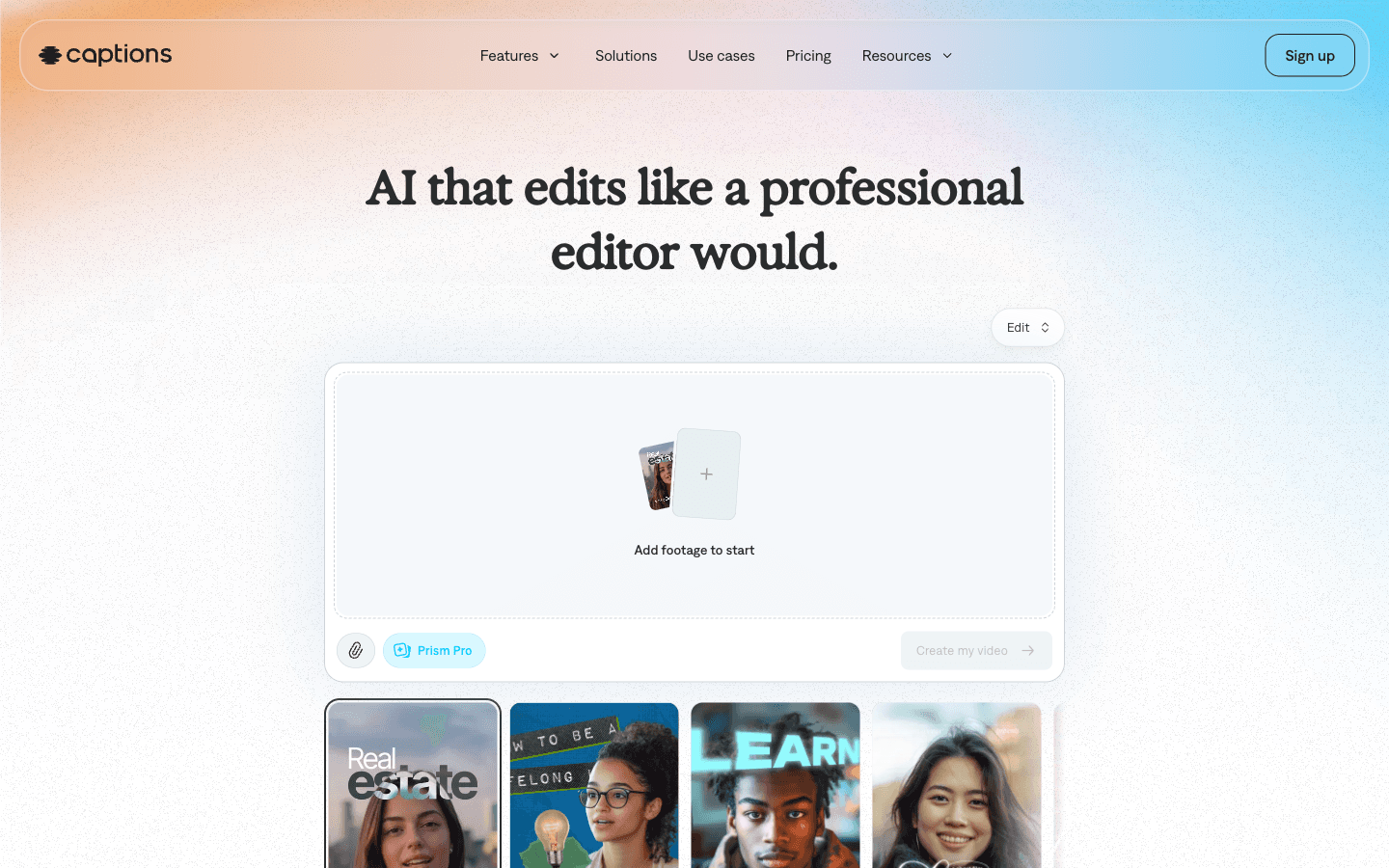
Captions.ai has 20 million users and has built that number by doing one thing very well and then expanding outward from it: making it easy for solo creators to produce polished talking-head videos from their phone. AI captions with 93–99% accuracy, eye contact correction (it shifts your gaze to look at the lens even when you're reading notes), 20+ one-tap editing styles, and AI-generated b-roll and voiceover.
The eye contact correction feature is genuinely notable - practitioners on LinkedIn and YouTube consistently call it a game-changer for anyone recording while reading scripts or looking at a second screen. It's available on the Max plan and up, and it's the single most-mentioned reason creators switch to Captions from competitors.
The pricing structure is credits-based, which creates friction for high-volume creators:
| Price | Credits/mo | |
|---|---|---|
| Free | $0 | None (no AI generation) |
| Max | $24.99/mo | 500 credits |
| Scale 1x | $69.99/mo | 1,400 credits |
| Scale 2x | $139.99/mo | 2,800 credits |
| Scale 4x | $279.99/mo | 5,600 credits |
Unused credits roll over (up to 3x monthly total), which helps. The jump from Max to Scale 1x ($24.99 to $69.99) is steep for creators who hit the credit ceiling regularly.
The community gives Captions a 4.1/5 overall, with ease of use (4.4/5) as the standout category and pricing (3.8/5) as the consistent complaint. Most users who leave do so because credits run out before the end of the month.
Captions is also currently iOS-first - the pricing page explicitly states "All prices displayed in USD. Features and prices reflect iOS plans only." This matters if your team works cross-platform.
Our verdict: Captions is well-suited to solo creators who do most of their recording on a phone, produce talking-head style content, and need fast, polished output without learning curve. The eye contact correction alone justifies it for many creators in that mold. For teams, footage-first workflows, or cross-platform environments, the fit is weaker.
Which tool is right for you?
The decision mostly comes down to two questions: what's your input (footage you shot vs. content that doesn't exist yet), and what role do you want the AI to play (doing the creative work for you vs. giving you better tools to do it yourself).
- You have raw footage and need it turned into posts → Guin. The only tool that handles any format and produces publish-ready output without requiring you to be the editor.
- You have long-form video and need clips → Opus Clip. Cheap, fast, best as a first pass. Expect manual review before publishing.
- You need a full editing toolkit for a team → Veed. 50+ tools, 125-language subtitles, AI generation, collaboration. You drive it.
- Your content is primarily spoken word → Descript. Transcript-based editing is genuinely transformative for podcasters and interview editors.
- You're generating video from prompts → Runway. The best generative platform in the market. Credits run out; budget accordingly.
- You're a solo creator on mobile, talking-head style → Captions. Eye contact correction is a real differentiator. Watch the credit ceiling.
The pricing tells the story plainly. Guin is more expensive than most alternatives at $99/mo - but it's pricing a different outcome. The others charge for access to tools and leave the production work to you. Guin charges for the production work itself.
Try Guin
If your problem — whether you're a marketing team, a YouTuber, or any kind of business — is footage that never becomes content, Guin is worth the 7-day free trial - no card required. You upload your footage, describe what you want, and see publish-ready clips come out the other side.
The Pro plan is $99/month for 120 minutes of published video and a 200GB library. Team pricing is custom - designed for organizations running high-volume content operations across multiple brands or products. Guin is the only tool on this list that was purpose-built for the "we have footage, we need content" workflow - and for that use case, it's genuinely in a category of its own.